Chrome
From the Chrome Web Store.
InstallPick a proxy type and a place, then switch it on. No proxy settings to edit, no usernames to remember.
Free · Version 0.3.0 · Chrome, Edge, Brave and Firefox
One extension, two stores. Edge and Brave install it from the Chrome Web Store.
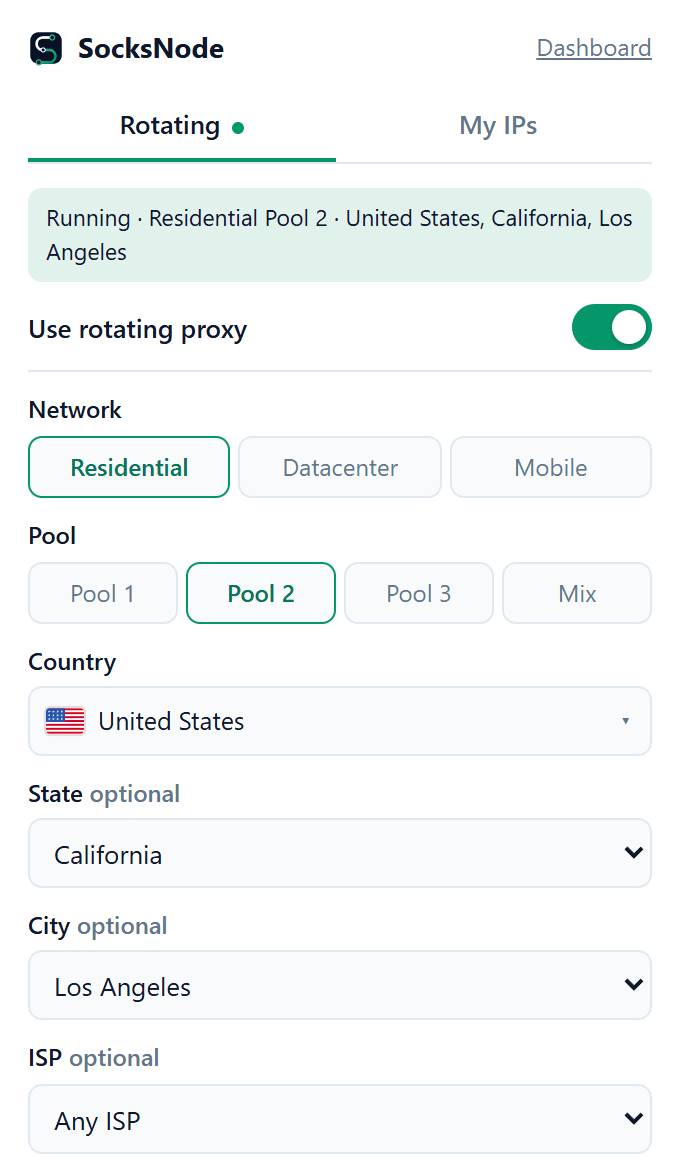
The same choices as your dashboard, one click away.
Residential Pool 1, 2, 3 or Mix, datacenter and rotating mobile, with your balance for each always in view.
Country, state, city or ISP, and strict or relaxed matching, exactly as in the dashboard.
A new IP on every request, or hold one IP for minutes or hours.
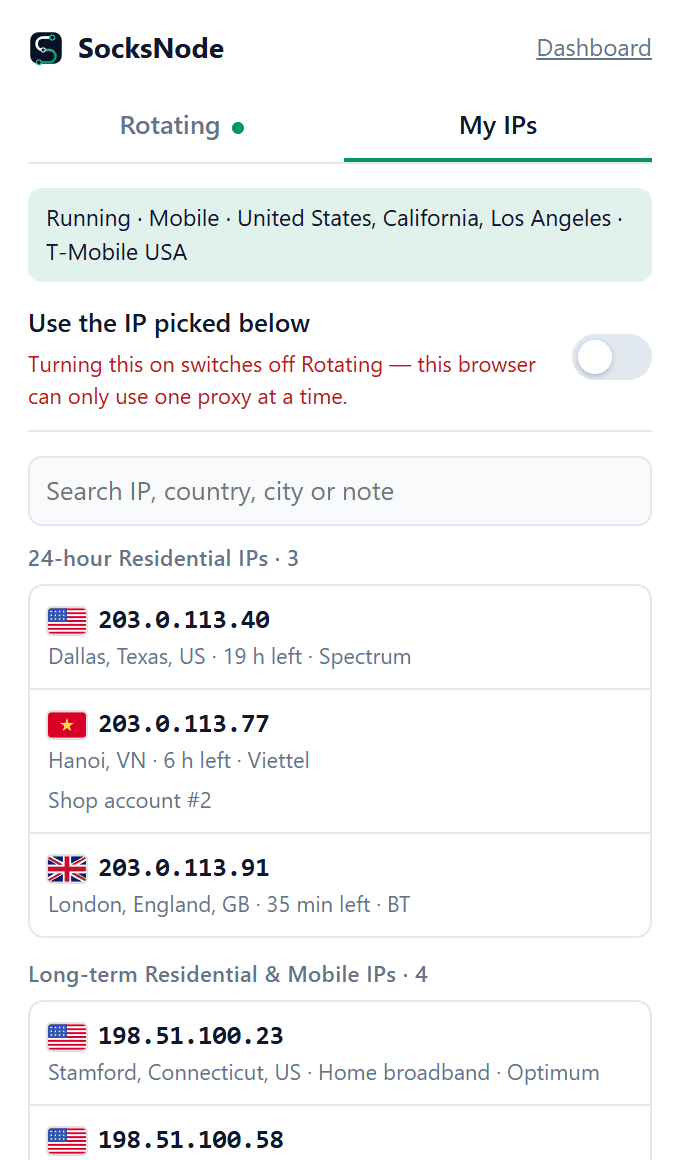
24-hour, long-term, static, ISP and 4G/5G IPs in one list. One click to use any of them.
WebRTC is blocked while the proxy is on, so sites cannot see your real IP that way.
The IP websites see right now, a bypass list for sites that should skip the proxy, light or dark mode.
Install SocksNode Proxy from your browser's store.
Use your SocksNode account: password, Google, GitHub or two-factor.
Pick a proxy or one of your IPs and turn it on.
Yes. The extension costs nothing; you pay only for the proxies you use, from the same balance as on the website.
Chrome, Microsoft Edge, Brave and other Chromium browsers through the Chrome Web Store, and Firefox through Firefox Add-ons. Safari is not supported.
No. Only this browser uses the proxy. For every app on your PC, use the SocksNode app for Windows.
You need a SocksNode account with a balance or an IP to use. Rotating proxies use your GB; the IPs you hold work as long as they last.
Yes. Each browser profile keeps its own extension, so each can run its own proxy.
The SocksNode app for Windows puts every IP on its own local port, for any browser, tool or script.