Windows
For Windows 10 and 11, 64-bit. Installs for your account in seconds, no administrator rights needed.
- v0.3.5
- 2.5 MB · Released Oct 20, 2026
- SHA-256
f6a6e233cbab0c76a129ffcc47bbd8e6c99a280e4e830fcba8c2727d4334fd38
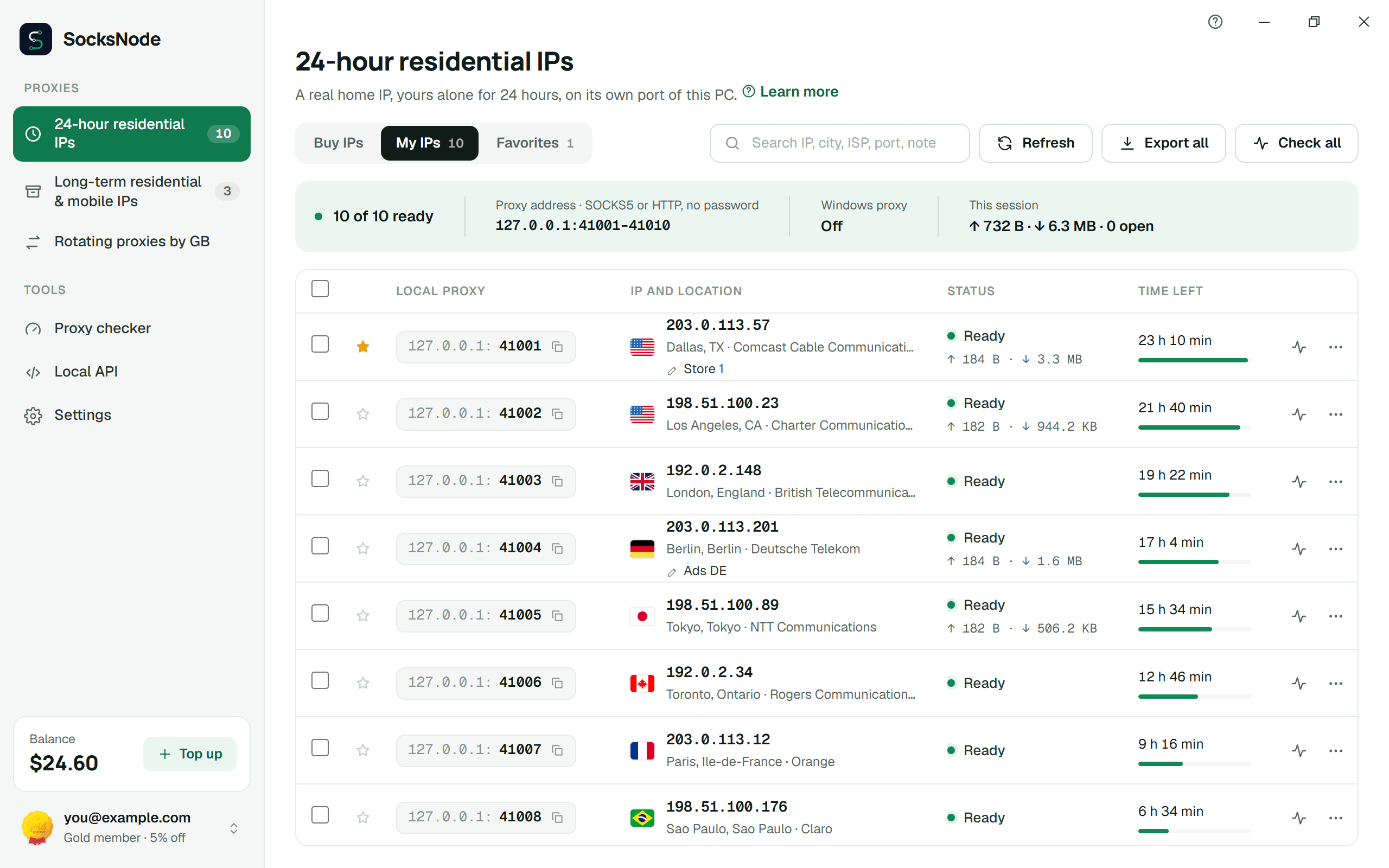
Every IP you buy opens on its own local port, ready for any browser, antidetect profile or script. Nothing to paste, no passwords to copy.
Version 0.3.5 · 2.5 MB · Windows 10 and 11 · Free

Windows and Linux are ready today. The others are on the way.
For Windows 10 and 11, 64-bit. Installs for your account in seconds, no administrator rights needed.
f6a6e233cbab0c76a129ffcc47bbd8e6c99a280e4e830fcba8c2727d4334fd38For Ubuntu 22.04 and newer, Debian 12, Fedora and other 64-bit desktops. The same app as on Windows.
v0.3.5Released Oct 20, 2026
For Macs with Apple silicon or Intel.
Coming soonYour proxies on your Android phone.
Coming soonFor iPhone and iPad.
Coming soonSocksNode Proxy for Chrome and Firefox: pick a proxy and switch it on, right in the toolbar.
Buy, run and check your IPs without opening the website.
127.0.0.1 and a port per IP, SOCKS5 or HTTP, no password. Point any app at it and it works.
24-hour residential IPs and long-term residential and mobile IPs, paid from the same balance as the website. Rotating proxies by GB run on your GB balance.
Make Chrome, Edge and most programs use one of your IPs. If its port stops, Windows goes back to your old setting.
A built-in checker shows each IP's location, speed and whether it answers, one IP or all at once.
Let phones and other computers on your Wi-Fi use the same ports. You choose which devices.
Your own bots can list, buy and check IPs through the app. It answers on this computer only.
Get the installer and open it. It takes a few seconds.
Use your SocksNode account, or create one from the app.
Buy an IP or open one you own. It is live on a local port at once.
Yes. The app costs nothing; you pay only for the IPs you buy, from the same balance you use on the website.
Ubuntu, Debian and Mint: the .deb, which opens in your software installer. Fedora and openSUSE: the .rpm. Any other system: the AppImage; allow it to run as a program, then open it. On GNOME, Cinnamon and similar desktops the app can also set the system proxy; on KDE, set the proxy in each program.
24-hour residential IPs, long-term residential and mobile IPs, and rotating proxies by GB (residential, mobile and datacenter). Your other proxies keep working from the dashboard, as before.
Yes. Each IP listens on 127.0.0.1 and its own port, as SOCKS5 or HTTP, with no password. Paste that address into any browser profile, antidetect browser, bot or script.
Windows shows this for new apps it hasn't seen often yet. Click More info, then Run anyway. You can compare the installer's SHA-256 with the one on this page first.
The app looks for new versions by itself and installs one when you click Update. Every update is signed, and the app refuses any it cannot verify.
We're building them now. Until then, every proxy works from your dashboard, in any browser and on any device.
Every proxy also works from your dashboard, in any browser and on any device.